
[01]
Balances & transfers
Hold TRX, send, and receive on Tron. Confirm the network before you share an address or sign.
Wallet
Send, receive, and manage Tron in GreyWallet — with HD wallets, derivation control, and Private Vaults.
Network

Tron family · TRX
Self-custody wallet for Tron inside GreyWallet. Create or import an HD wallet, select this network, and manage TRX from iOS or Android.
On Tron
Hold TRX, send, and receive on Tron. Confirm the network before you share an address or sign.
Track outbound and inbound transfers for this network in Activity — status stays on-device with your wallet.
Tron is covered for balances and transfers in this release.
Optional isolated wallets behind a private pattern — the same product feature on every supported network.
Family
Tron is its own key space. Restore against the Tron family — not EVM.
Tron is the only network in this family in GreyWallet today.
Derivation
During create or import, choose the Tron family, review the default path, and set account index. Defaults are recommended; customize when you are restoring a specific account.
Advanced derivation ↗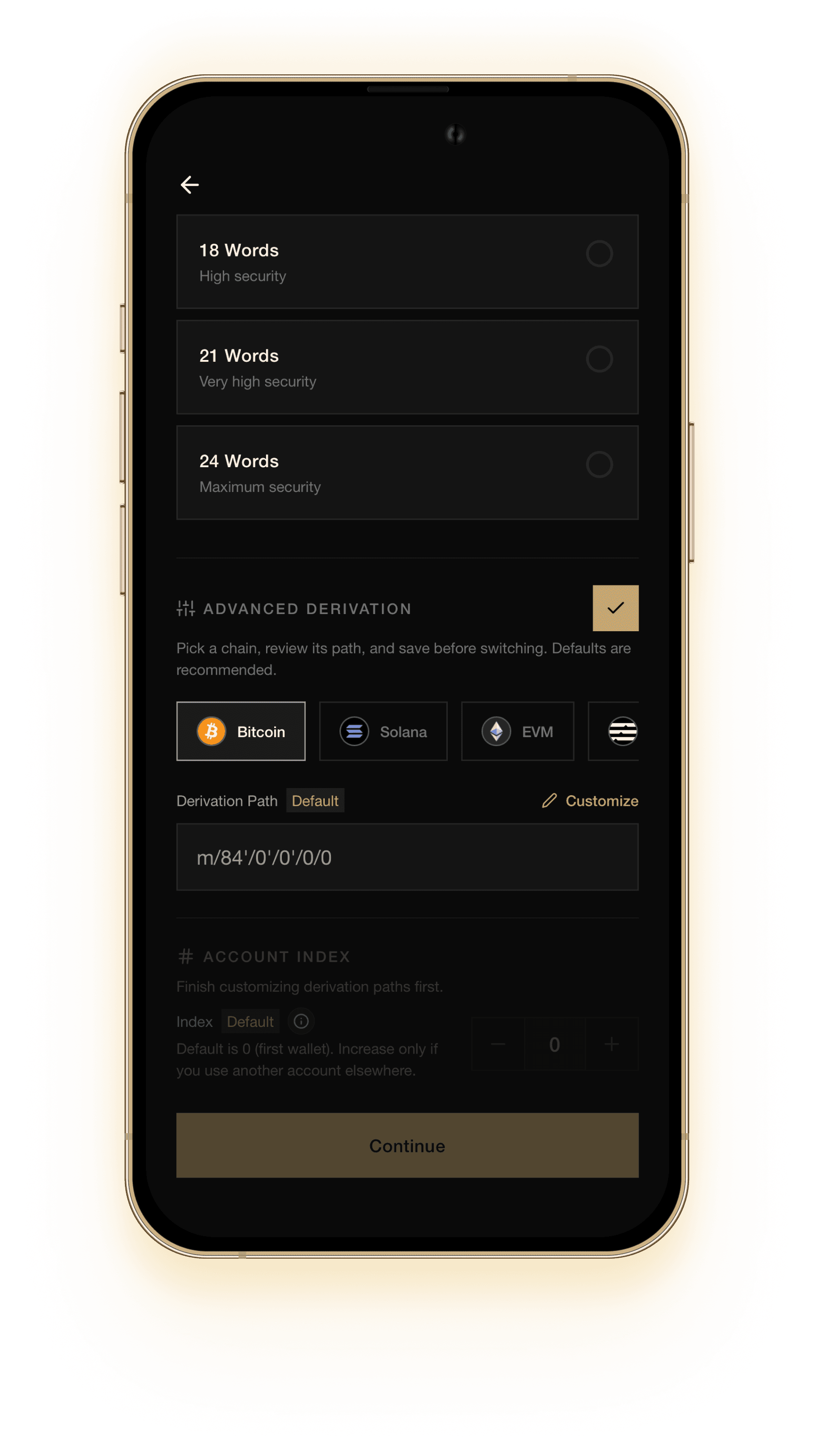
Get started
Download GreyWallet, create or import, then select Tron. Never share your recovery phrase or private pattern.